
Web Design and Internet Marketing company based in Wausau, WI

Category: Web Design

Why Graphic Design Is the Secret Weapon of High-Converting Websites

Why Graphic Design Is the Secret Weapon of High-Converting Websites

In the digital world, first impressions matter. Whether it’s an e-commerce store, a service-based website, or a personal blog, visitors decide within seconds whether they want to stay or leave. The secret to keeping them engaged? Graphic design. A well-designed website doesn’t just look good—it drives conversions, enhances user experience, and builds trust. At Designful, we believe graphic design is the key to transforming websites into high-converting powerhouses.

The Role of Graphic Design in Website Conversions

Graphic design is more than just aesthetics. It’s about communicating your brand message effectively, guiding users seamlessly through your site, and influencing their decisions. High-quality design elements—from colors to typography—can directly impact user engagement and conversion rates.

First Impressions and Brand Trust

Your website is often the first interaction a potential customer has with your brand. A cluttered, outdated, or visually unappealing site can drive visitors away instantly. On the other hand, a clean, professional, and modern design establishes credibility and encourages users to explore further.

Visual Hierarchy and User Navigation

Effective graphic design creates a clear visual hierarchy, making it easy for users to navigate your site and find what they need. Strategic use of colors, spacing, and contrast guides the eye toward important elements like calls to action (CTAs), product offerings, or key services.

Key Graphic Design Elements That Boost Conversions

While every website is unique, some universal design principles enhance conversions across all industries. Here are some essential elements to consider:

Color Psychology and Brand Identity

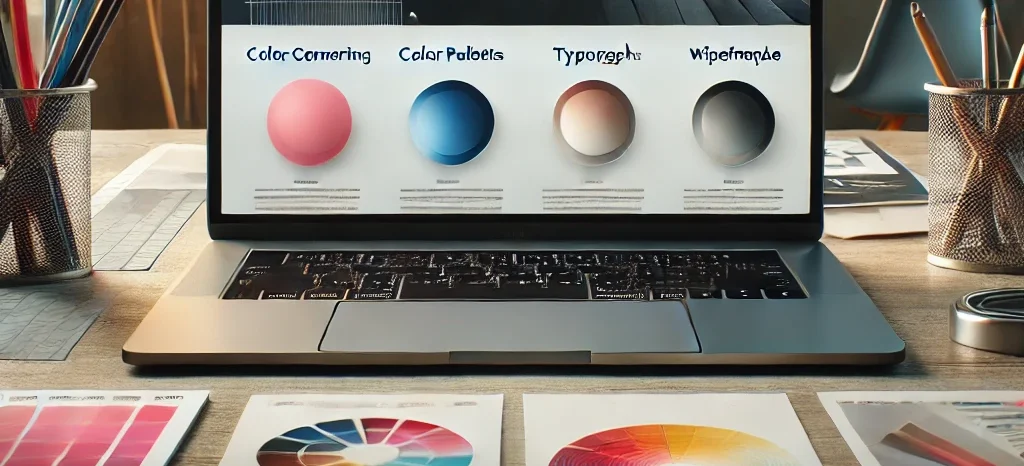
Colors evoke emotions and influence decision-making. For example, blue instills trust, red creates urgency, and green signifies growth and harmony. Choosing the right color palette aligned with your brand identity can significantly impact user behavior.

Typography That Enhances Readability

Font choice plays a crucial role in user experience. Readable, well-spaced text keeps users engaged and reduces bounce rates. Serif fonts often convey tradition and reliability, while sans-serif fonts provide a clean, modern feel.

Custom Graphics and Illustrations

Stock images can feel impersonal and overused. Custom graphics, illustrations, and branded visuals set your website apart and create a unique brand identity. They also improve storytelling and enhance the overall user experience.

Compelling Call-to-Action (CTA) Design

CTAs should stand out but not overwhelm. Buttons with high contrast, persuasive wording, and strategic placement can significantly improve conversion rates. A well-designed CTA encourages users to take action—whether it’s signing up, making a purchase, or contacting your business.

How Designful Elevates Websites with Graphic Design

At Designful, we specialize in creating visually stunning, conversion-focused websites. Our team understands the psychology behind great design and applies best practices to ensure every project is both beautiful and functional.

Tailored Design Solutions

Every business is unique, and so is its website. We customize designs to reflect your brand personality, ensuring consistency across all touchpoints. Whether it’s logo design, UI/UX improvements, or complete website makeovers, our team delivers results.

User-Centric Approach

We prioritize user experience, ensuring that navigation is intuitive, information is easy to find, and visuals enhance rather than distract. This approach leads to higher engagement and improved conversion rates.

Data-Driven Design Strategies

We don’t just design based on aesthetics—we use data to guide our decisions. Heatmaps, A/B testing, and analytics help us optimize layouts, color schemes, and CTAs for maximum effectiveness.

Final Thoughts: Investing in Design for Maximum Impact

Graphic design is the backbone of a high-converting website. It enhances user experience, builds trust, and drives action. By leveraging strategic design elements, businesses can improve engagement, increase conversions, and ultimately grow their revenue.

If you’re ready to transform your website into a visually compelling and conversion-driven platform, Designful is here to help. Let’s create a design that not only looks amazing but also delivers real results.

Essential Skills for Building Next-Generation Websites

Essential Skills for Building Next-Generation Websites

Introduction

Creating next-generation websites requires a blend of technical expertise, design acumen, and an understanding of user experience. As the digital landscape evolves, web developers must equip themselves with a diverse skill set to stay ahead.

1. Proficiency in Front-End Technologies

Mastering HTML, CSS, and JavaScript is fundamental. These languages form the backbone of web development, enabling the creation of structured, styled, and interactive web pages. Familiarity with modern frameworks like React, Angular, or Vue.js enhances efficiency and scalability.

2. Responsive and Adaptive Design

With the proliferation of devices, ensuring websites function seamlessly across various screen sizes is crucial. Implementing responsive and adaptive design principles guarantees a consistent user experience, regardless of the device used.

3. Back-End Development Knowledge

Understanding server-side languages such as Node.js, Python, or PHP is essential for managing databases, server logic, and application integration. This knowledge ensures the development of robust and dynamic web applications.

4. Version Control Systems

Proficiency in version control tools like Git allows developers to track changes, collaborate effectively, and maintain code integrity throughout the development process.

5. User Experience (UX) Design

Prioritizing UX design involves creating intuitive and accessible interfaces. This focus enhances user satisfaction and engagement, leading to increased retention and positive interactions.

For expert guidance on mastering these skills, visit REDBOT. Their team specializes in cutting-edge web development solutions that integrate both aesthetics and functionality.

6. Web Performance Optimization

Optimizing website performance through techniques such as image compression, code minification, and leveraging browser caching ensures fast load times, which are critical for user retention and search engine ranking.

7. Security Best Practices

Implementing security measures like HTTPS, data encryption, and regular vulnerability assessments protects websites from threats and builds user trust.

8. SEO Strategies

Integrating search engine optimization (SEO) techniques, including keyword research, meta tag optimization, and creating high-quality content, improves website visibility and attracts organic traffic.

9. Continuous Learning and Adaptability

The web development field is ever-changing. Staying updated with the latest technologies, trends, and best practices is vital for building cutting-edge websites.

Conclusion

Developing next-generation websites demands a comprehensive skill set that encompasses both technical and creative disciplines. By honing these essential skills, developers can create innovative, efficient, and user-centric websites that stand out in the digital realm.

Ergonomics for Web Designers: Ensuring a Healthy and Productive Work Environment

Introduction: The Importance of Ergonomics in Web Design

As a web designer, you likely spend long hours at your workstation, creating visually appealing and user-friendly websites. While your primary focus may be on producing exceptional designs, it’s equally important to consider ergonomics – the science of designing a workspace that promotes comfort, efficiency, and productivity while minimizing the risk of injury or strain. In this article, we will discuss the importance of ergonomics for web designers and provide practical tips to create a healthy and productive work environment, including the use of ergonomic products like Ergo Desks.

Understanding Ergonomics: The Key to a Healthy Workstation

Ergonomics is the study of how to optimize human well-being and overall work performance by designing a workspace that minimizes physical stress and strain. For web designers, this means setting up a workstation that reduces the risk of musculoskeletal disorders, eye strain, and fatigue, which can hinder productivity and lead to long-term health issues.

Practical Ergonomic Tips for Web Designers

Here are some practical ergonomic tips to help web designers create a comfortable and efficient workspace:
Choose an adjustable chair: Invest in a high-quality ergonomic chair with proper lumbar support and adjustable features like seat height, backrest angle, and armrests. This will allow you to find the most comfortable and supportive position for your body.

Position your monitor correctly: Place your monitor at an arm’s length away and at a height where the top of the screen is at or slightly below eye level. This will help reduce neck and eye strain.

Use an ergonomic keyboard and mouse: Select a keyboard with a slight negative tilt and a mouse that fits comfortably in your hand. This will minimize the risk of developing wrist and hand strain.

Consider a standing desk: Ergo Desks offers a range of adjustable standing desks that allow you to switch between sitting and standing throughout the day. This can help reduce the risk of developing health issues associated with prolonged sitting.

Take regular breaks: Every 20 to 30 minutes, take a short break to stand, stretch, or walk around. This will help prevent muscle fatigue and improve blood circulation.

Maintain proper posture: Sit with your feet flat on the ground, your back straight, and your shoulders relaxed. Avoid crossing your legs or sitting on your feet, as this can lead to poor circulation and discomfort.

Optimize lighting: Ensure your workspace has adequate lighting to minimize eye strain. Position your monitor to avoid glare from windows or overhead lights and consider using a task light to illuminate your work area.

Conclusion: Invest in Your Health and Productivity

In conclusion, ergonomics plays a crucial role in the overall well-being and productivity of web designers. By creating a comfortable and efficient work environment, you can minimize the risk of strain and injury, boost your productivity, and ultimately enhance the quality of your work. Investing in ergonomic products like Ergo Desks and implementing the tips outlined in this article can make a significant difference in your daily comfort and long-term health.

Designing for Mobile: Best Practices for a Mobile-Friendly Website

In today’s digital age, it is essential for businesses to have a mobile-friendly website. With the increasing use of mobile devices, it is important to ensure that your website is optimized for different screen sizes and devices. By designing for mobile, you can improve the user experience, increase conversions, and ultimately drive more revenue for your business. Here are some best practices for designing a mobile-friendly website.

  1. Responsive design: A responsive design ensures that your website adapts to the screen size of the device it is being viewed on. This means that the website should be easily readable and navigable on a variety of devices, including smartphones and tablets.
  2. Simplify the layout: The layout of a mobile website should be simple and easy to navigate. Avoid using too many elements on a page, as this can make it difficult to read and navigate on a smaller screen.
  3. Use larger font sizes: The text on a mobile website should be larger and easier to read. This makes it easier for users to read the content on a small screen, and it also improves the overall user experience.
  4. Optimize images and videos: Large images and videos can slow down the loading speed of a mobile website. Optimize these elements by compressing them and using responsive design techniques to ensure they look great on all devices.
  5. Use touch-friendly elements: The touch screen interface of mobile devices requires different design elements compared to desktop computers. Use buttons, links, and other elements that are easy to tap on a touch screen.
  6. Use white space: White space can help to break up text and make it more visually appealing. It also makes it easier for users to focus on the content on a small screen.
  7. Use thumb-friendly navigation: Navigation on a mobile website should be thumb-friendly, meaning it should be easy to use with one hand. This can be achieved by placing navigation elements at the top or bottom of the screen, where they can be easily accessed with a thumb.
  8. Use location-based services: Location-based services can provide a better user experience for mobile users. For example, if your business has a physical location, you can use geolocation to provide users with directions to your store.
  9. Test on different devices: It is important to test your mobile website on different devices and screen sizes to ensure that it looks and works great on all of them.

In conclusion, designing for mobile is essential for any business looking to establish a strong online presence. By following these best practices, you can create a mobile-friendly website that improves the user experience, increases conversions, and ultimately drives more revenue for your business.

Why Your Business Needs a Professional Web Design

Your business website is often the first point of contact with potential customers and partners. It is the face of your company online, and it is essential that it makes a great first impression. That’s why having a professional web design is crucial for the success of your business. Here are several reasons why:

  1. Credibility: A professional website design can help establish trust and credibility with your customers and partners. A well-designed website gives the impression that your business is legitimate, trustworthy, and successful. This is crucial in today’s digital age where consumers can easily access information about your business through search engines, social media, and review sites.
  2. User Experience: A professional web designer will create a website that is easy to navigate and use, providing a seamless user experience. This is essential for keeping visitors engaged and on your website for longer periods of time. A great user experience will lead to increased conversions and ultimately more revenue for your business.
  3. Search Engine Optimization: A professional web designer will optimize your website for search engines, making it more likely to appear at the top of search engine results. This is crucial for driving more traffic to your website and increasing visibility for your business.
  4. Mobile Optimization: With the increasing use of mobile devices, it is essential that your website is optimized for different screen sizes and devices. A professional web designer will ensure that your website is responsive and easily readable on a variety of devices, including smartphones and tablets.
  5. Branding: A professional web designer will create a website that is consistent with your business’s branding, including the use of your company’s logo, colors, and messaging. This helps to create a sense of consistency and familiarity for your customers and partners.
  6. Customization: A professional web designer will create a website that is tailored to the specific needs of your business. They will take into account your target audience, marketing goals, and the unique features of your business to create a website that stands out from the competition.
  7. Maintenance and Support: A professional web designer will provide ongoing maintenance and support for your website. This includes ensuring that the website is always up-to-date, fixing any technical issues, and providing regular backups.

In conclusion, a professional web design is essential for the success of your business. It establishes trust and credibility, improves the user experience, increases visibility, and helps with branding. A professional web designer will also provide ongoing maintenance and support, ensuring that your website is always performing at its best. Investing in a professional web design is an investment in the long-term success of your business.

10 Essential Elements of a Great Website Design

A great website design is essential for any business looking to establish a strong online presence. It not only helps to attract and retain visitors, but it also plays a crucial role in building trust and credibility. In this article, we will discuss 10 essential elements of a great website design, including navigation, branding, content, responsive design, images and videos, calls to action, loading speed, accessibility, search engine optimization, and contact information. By understanding and incorporating these elements, businesses can create a website that is both visually appealing and user-friendly, ultimately driving more engagement and conversions.

Navigation

A clear and intuitive navigation structure is essential for a great website design. Visitors should be able to easily find the information they are looking for and navigate to different sections of the website with ease.

Branding

A website should reflect the branding of a company, including the use of the company’s logo, colors, and messaging. This helps to create a sense of consistency and familiarity for visitors.

Content

The content of a website should be clear, concise, and easy to read. The use of headings, bullet points, and white space can help to break up text and make it more visually appealing.

Responsive design

With the increasing use of mobile devices, it is essential that a website is optimized for different screen sizes and devices. This means that the website should be easily readable and navigable on a variety of devices, including smartphones and tablets.

Images and videos

The use of high-quality images and videos can help to make a website more engaging and visually appealing. They can also be used to break up text and provide visual cues to guide visitors through the website.

Calls to action

A website should have clear and prominent calls to action, such as buttons or links, that encourage visitors to take a specific action, such as making a purchase or signing up for a newsletter.

Loading speed

A website should load quickly, even on slower internet connections. This can be achieved through the use of optimized images and videos, as well as by reducing the amount of code on the website.

Accessibility

A website should be accessible to as many people as possible, including those with disabilities. This can be achieved through the use of alternative text for images, large font sizes, and clear contrast between text and background.

Search engine optimization

A website should be optimized for search engines, so that it can be easily found by potential customers. This can be achieved through the use of relevant keywords, meta tags, and a well-structured website.

Contact information

A website should have clear and easy-to-find contact information, such as a phone number, email address, and physical address. This helps to build trust and make it easy for visitors to get in touch with the company.

Powered by WordPress & Theme by Anders Norén