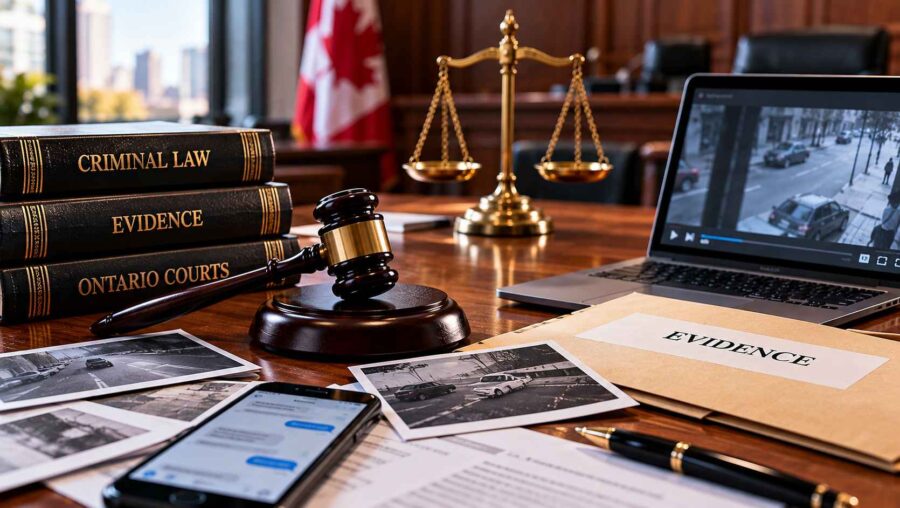
When a criminal case is investigated or brought before a court, the information involved can come from many different sources. A witness may describe what they remember, a document may record a particular event, or a text message, photograph, video, or other digital file may provide another piece of information.
It can be tempting to look at one item and immediately decide what it proves. Criminal cases, however, can involve a much broader collection of information. The meaning or significance of one piece of evidence may depend on when it was created, who provided it, what happened before or afterward, and how it relates to other evidence.
That is why context can be an important part of understanding a criminal case.
Evidence Rarely Exists in Isolation
Imagine a situation in which a person receives a short text message shortly before an alleged incident. Viewed by itself, the message might appear to have a particular meaning.
But what if there were several messages before it? What if there was another conversation afterward? What if the recipient’s response provides additional information about what the exchange concerned?
The same principle can apply to photographs, emails, recordings, or documents.
A single photograph may show one moment but not what happened immediately before or after it. A video clip may capture part of an interaction without showing the complete sequence. A witness statement may describe an event from one person’s perspective while another witness provides a different account.
This does not mean that individual evidence is unimportant. It means that its significance may depend on how it fits into the larger picture.
Witness Accounts Can Provide Different Perspectives
Witness testimony can be an important part of many criminal cases.
People who observe the same event may remember different details. One person may focus on what was said, while another remembers physical movements or where people were standing. Lighting, distance, distractions, the passage of time, and the circumstances in which a person observed an event can also affect what they remember.
Differences between accounts do not automatically establish that one person is deliberately providing false information.
Instead, the circumstances surrounding each account can become relevant when the evidence is considered.
For example, a witness who saw an event from a distance may describe it differently from someone who was directly involved. A person who arrived after an incident may know what happened only from what others told them.
Understanding where information came from can therefore be just as important as the information itself.
Timing Can Change the Meaning of Information
Time is another important part of context.
A message sent before an incident may have a different significance from one sent afterward. A photograph taken at one point in time may not establish what the same location looked like later. A person’s actions before or after an alleged event may also become relevant when the overall circumstances are examined.
Consider a hypothetical email exchange involving several messages over a number of hours. Reading only the final email could create a very different impression from reading the complete conversation.
This is why the chronology of events can matter.
Establishing what happened first, what happened next, and what information became available at each stage can help provide a more complete understanding of the evidence.
Digital Communications Often Require Context
Modern criminal cases can involve large amounts of digital information.
Text messages, emails, direct messages, photographs, videos, social-media posts, call records, and other electronic material may form part of an investigation or proceeding depending on the circumstances.
Digital information can appear precise because it is displayed on a screen. But even electronic material may require context.
A screenshot might show a particular message without displaying the conversation around it. A social-media post may be viewed without the comments or material that preceded it. A video may be shared as a short clip rather than as a complete recording.
Questions may also arise about who created the material, when it was created, how it was stored, and whether the material accurately represents the original information.
The important point is that digital evidence is still evidence that needs to be understood within its circumstances.
Documents Can Tell Only Part of a Story
Written records can also be interpreted differently depending on their surrounding circumstances.
A business record, letter, receipt, calendar entry, report, or other document may contain useful information. However, the document may have been created for a particular purpose and at a particular time.
A document might record what someone believed or reported without independently establishing that every statement within it was accurate.
For example, a report written after an incident may summarize information provided by several people. Understanding who supplied the information and how the report was prepared can be relevant to understanding what the document actually represents.
This is why the existence of a written record does not necessarily answer every question about an event.
Photographs and Videos Have Their Own Context
Photographs and videos can be persuasive because they provide a visual record.
However, visual evidence still has boundaries.
A photograph captures a particular moment. It may not show what happened immediately beforehand or afterward. A video may provide a longer sequence, but the available recording may begin after an event has already started or end before it is finished.
The surrounding circumstances can therefore matter.
The location of the camera, the quality of the recording, the time it was created, and whether the available footage is complete can all affect how the material is understood.
This does not mean that visual evidence is unreliable. It means that the viewer needs to understand exactly what the recording shows and what it does not show.
Context Can Connect Different Pieces of Evidence
One reason criminal cases can become complicated is that different categories of evidence may overlap.
A witness might describe an event. A text message may provide information about communications before or afterward. A photograph may show a relevant location. Video footage may provide another perspective. A document may establish a date or sequence of events.
Individually, each item may answer only one question.
Considered together, the evidence may provide a more complete picture of the circumstances.
The reverse can also be true. Information that initially appears significant may become less clear when additional material is considered.
This is why reviewing evidence involves more than simply counting how many pieces of information appear to support one version of events.
The Source of Information Matters
Context also includes understanding where information came from.
A statement made by a person who directly observed an event is different from a statement based on something that person heard from someone else. A photograph taken by a participant is different from an image copied from an unknown source. A message displayed in an account raises different questions from a message whose origin cannot readily be established.
The source does not automatically determine whether information is useful or admissible.
It does, however, help explain what the information represents.
Understanding the origin of evidence can be particularly important when different accounts conflict.
Context Is Different From Interpretation
There is also an important distinction between providing context and simply choosing an interpretation.
The purpose of considering surrounding information is not to automatically make one version of events appear correct.
Instead, context allows the evidence to be understood more completely.
For example, a message may have a particular meaning to the people who exchanged it because of an earlier conversation. Someone unfamiliar with that conversation may interpret the same words differently.
Likewise, a photograph may appear to show one thing to a viewer who does not know where or when it was taken.
The broader circumstances can help identify what questions need to be considered.
Criminal Cases Are Fact-Specific
No two criminal cases are exactly alike.
Even where two cases involve similar allegations, the available evidence, witnesses, timelines, communications, locations, and procedural histories may be completely different.
That is why conclusions based on another person’s case may not apply to a separate proceeding.
Someone facing criminal allegations may choose to obtain professional legal guidance to understand how the evidence and circumstances specific to their matter should be considered. For people looking into criminal defence representation in Toronto, the relevant issues will ultimately depend on the facts and legal circumstances of the individual case.
General information can explain concepts such as evidence, context, and the criminal court process, but it cannot determine how those concepts apply to a particular person.
The Importance of Reviewing the Complete Record
When evidence is reviewed, the complete record can provide information that is not visible in an isolated item.
A single message may look different when the full conversation is available. A witness statement may need to be considered alongside other accounts. A photograph may become more understandable when its date and location are established. A video may need to be viewed in its entirety rather than through a short excerpt.
This does not mean that every additional piece of information will change the meaning of the original evidence.
It means that decisions about significance should be based on the evidence as a whole rather than on assumptions drawn from a single fragment.
Why Context Matters to the Criminal Process
The criminal justice system deals with allegations that can have serious consequences, making careful consideration of evidence particularly important.
Context helps distinguish between what a piece of information actually shows and what someone assumes it shows.
It can clarify timelines, explain communications, identify relationships between different pieces of evidence, and highlight areas where accounts may agree or differ.
The broader picture may include witness evidence, documents, digital communications, photographs, recordings, physical evidence, and other material.
Understanding how these pieces fit together is often more useful than focusing on one isolated item.
Looking at the Bigger Picture
Evidence is not simply a collection of disconnected facts. In many criminal cases, the meaning of individual pieces of information depends on the circumstances surrounding them.
Witness accounts have a history and perspective. Documents have a source and purpose. Messages occur within conversations. Photographs and videos capture particular moments. Digital records may contain information that needs to be understood alongside other material.
Context does not automatically determine what evidence proves. Instead, it provides the framework needed to understand the evidence more accurately.
For anyone trying to understand a criminal case in Ontario, the broader lesson is straightforward: individual pieces of information should be considered carefully, with attention to their source, timing, surrounding circumstances, and relationship to other evidence.
That approach helps explain why criminal cases cannot always be understood from a single statement, screenshot, photograph, or recording. The significance of evidence is often found not only in what one item says or shows, but in how it fits within the complete factual picture.